



I like food-ordering apps best when they remove small annoyances rather than create a new routine to manage. Del Taco’s app, built around the Del Yeah! Rewards experience, aims to do exactly that: give me a place to browse the menu, plan an order, and keep my visits connected to the brand’s rewards program. It is free, rated for Everyone, and comes from Del Taco IT, so the focus is simple and practical rather than broad restaurant discovery.
After using it as a companion for Del Taco visits, I found that its value depends heavily on how often you already eat there. For a regular customer, the app can make repeat orders less repetitive and make rewards easier to keep track of. For someone who visits only occasionally, it is still useful for checking the menu and ordering ahead, but it may not deserve permanent space on the phone. The best experience comes from treating it as a repeat-order tool, not as a general food-delivery app.
Starting with the everyday Del Taco workflow
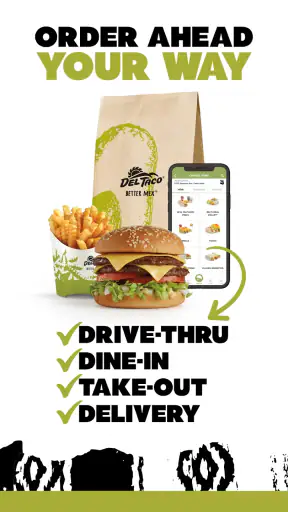
The basic routine is straightforward. I open the app, look through the available Del Taco food and drink choices, select what I want, and move through the ordering process for a restaurant visit. The important distinction is that this is a direct brand app, not a marketplace filled with unrelated restaurants. That keeps the experience focused, although it also means the app is only useful when Del Taco is the place I have already chosen.
For a first-time user, I would begin by browsing before signing in or building an order. That gives me a feel for the menu structure and helps avoid making decisions while standing in line or sitting in a crowded car. It is a small habit, but it matters when ordering for more than one person. I can compare choices at my own pace, then use the restaurant visit itself for pickup or another available ordering step rather than trying to remember everything from a printed menu.
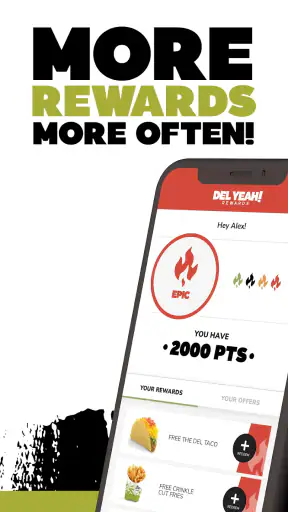
The rewards element is the main reason to create a longer-term habit. Del Yeah! Rewards is presented as the central app experience, so the application is more than a digital menu. I see it as a record of my relationship with the chain: I can return to the same place for future orders and make rewards part of the normal checkout routine instead of treating them as a separate task.
That said, I would not assume that installing the app automatically makes every visit better. The advantage appears when I use the account consistently. If I order once and forget to use the app afterward, the rewards side has little practical effect. The more useful pattern is to open it before each Del Taco visit, check the current order flow, and make sure I am using the same account each time.
How I would use it during a busy day
Imagine I am leaving work and want a quick meal for myself and another person. Rather than waiting until I reach the restaurant to decide, I can review the choices on the phone while I still have a quiet moment. I can settle the order, confirm the location and details carefully, and then arrive with fewer decisions left to make. That is where the app feels most helpful: it moves menu browsing away from the busiest part of the visit.
For a family or group order, I would use a slightly different approach. I would first make a short list of each person’s main item and drink, then add items one at a time while checking the order summary. This is less exciting than tapping quickly through the menu, but it reduces the common mistake of forgetting a side, duplicating an item, or choosing the wrong variation. A direct restaurant app is only as convenient as the final review step.
I also prefer using the app when I already know which Del Taco location I want. If I am traveling or comparing several nearby restaurants, a general maps or delivery service may be faster for discovering options. Del Taco’s app is strongest after the decision to eat at Del Taco has already been made.
What the app feels like compared with usual alternatives
Compared with ordering at the counter, the app gives me more time to read and organize the order. That is especially useful when the menu feels unfamiliar or when I am ordering for someone with specific preferences. The trade-off is that I have to manage the digital steps myself, including checking the selected restaurant and making sure the order is complete.
Compared with a broad delivery platform, the Del Taco app is more focused on the brand’s own rewards relationship. A marketplace may be better when I want to compare restaurants, delivery options, or multiple cuisines in one place. The direct app is a better fit when I want a Del Taco-specific workflow and do not want that restaurant buried among unrelated listings.
Compared with a mobile browser, a dedicated app is more convenient for repeat visits because it keeps the ordering destination in one familiar place. The browser can be preferable for a one-time customer who does not want another installed application. I would choose the app for routine use, and a browser or general service when the visit is unusual or exploratory.
Settings and habits worth checking before relying on it
I would not rush straight into ordering after installation. First, I would check the account area and make sure the profile details are correct. Rewards systems are only useful when visits are connected to the right account, so confirming that I am signed in consistently is more important than trying to memorize every offer or menu shortcut.
I would also review the app’s notification behavior on my phone. Notifications can be useful for reminders or account activity, but too many alerts can make a food app feel intrusive. My preference is to keep only the messages that help me act, while avoiding anything that turns a simple ordering tool into another source of noise. The exact controls can vary by phone, so I would use the device’s notification settings as part of this cleanup.
Location selection deserves a deliberate check every time I order from an unfamiliar place. A saved or previously used restaurant can make the process quicker, but convenience can also encourage careless confirmation. I make a habit of checking the selected location before completing the order, especially when I am near more than one Del Taco restaurant or ordering for someone else to collect.
Another useful check is the order summary. I look at quantities, choices, and drinks rather than assuming the app understood my intention. This is particularly important when I build an order quickly from memory. The summary is not just a final formality; it is the point where I can catch a missing item before the order leaves my control.
Using rewards without letting rewards dictate the meal
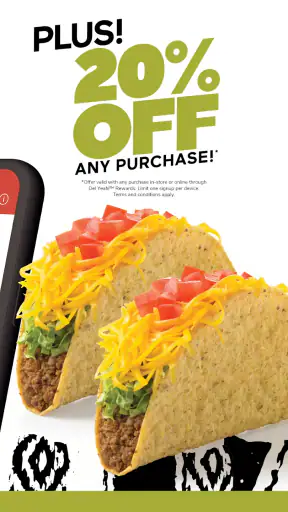
The Del Yeah! Rewards branding makes loyalty a central part of the experience, but I try not to let a reward change what I actually want to eat. A discount or reward is helpful when it fits the meal I was already planning. It is less helpful if it encourages me to add unnecessary items simply because they appear attractive in the moment.
My practical rule is to decide on the meal first and then check whether the rewards account improves it. That keeps the app working for me rather than turning the reward system into a reason to spend more time or money. It also makes the app easier to evaluate honestly: I am judging its convenience, not confusing a promotion with a better ordering experience.
For repeat customers, I would create a simple routine around the account. Open the app before ordering, confirm the account, review the available reward area, place the order, and check that the visit is associated with the intended profile. This sequence takes less effort than trying to reconstruct reward activity later.
Version, compatibility, and the practical installation decision
The current version is DelTaco 3.9.5.273, and the app supports Android devices running version 5.0 or later. That broad compatibility makes it accessible on older Android phones, although an older device may not feel as quick as a newer one when moving through a menu-heavy ordering flow. I would keep the operating system and the app updated when possible, especially if ordering is an important part of my routine.
The app has been available since December 8, 2016, and its reach shows that it is not a brand-new experiment. It has passed one million installs, with an average rating of 4.4 from around 67 thousand ratings and roughly 7.9 thousand written reviews. Those figures suggest a well-established user base, but I would still judge it by my own ordering habits. A popular app can remain unnecessary for someone who rarely visits the restaurant.
There is no purchase price to install it, which lowers the barrier to trying it. The real cost is attention: account setup, remembering to use the app, and checking the order carefully. For a frequent Del Taco customer, that exchange is reasonable. For someone who only wants a menu once, using a browser may be the cleaner choice.
Faster patterns for regular orders
The first speed improvement is preparation. If I already know I am going to Del Taco, I browse before I am hungry and rushed. I do not need to complete the order immediately; I simply reduce the amount of decision-making left for later. This works particularly well for lunch breaks, when a few minutes of menu browsing can otherwise become the slowest part of the visit.
The second is consistency. I use the same order-building sequence each time: main item, additions or changes, side, drink, then final review. Repeating that pattern makes it easier to notice what is missing. It is a small workflow, but it is more reliable than jumping between menu sections based on whatever catches my eye first.
The third is separating personal orders from group orders. For one person, speed matters most, so I keep the order simple and verify it once. For a group, I slow down slightly and check each person’s items before moving on. Trying to use the same rushed method for both situations is where mistakes usually happen.
I also avoid opening the app only when the phone has a weak connection or the restaurant is busy. If I know I will order later, I can review the menu and account beforehand, then leave only the final steps for the visit. I would not treat this as an offline guarantee; it is simply a way to avoid making every part of the process depend on the most inconvenient moment.
When the direct app saves time—and when it does not
The direct app saves time when I have a clear destination, a familiar order, and a reason to use Del Yeah! Rewards. Those three conditions turn it into a repeatable shortcut. I can focus on confirming the details instead of searching through a large delivery catalog.
It does not necessarily save time when I am comparing restaurants, trying to coordinate delivery from several places, or unsure what I want. In those cases, a general food service or map application may provide a wider view. The Del Taco app is not intended to solve the discovery problem; it solves the brand-specific ordering problem.
There is also a difference between speed and certainty. A counter order may feel faster when I have a very simple request and the restaurant is quiet. The app becomes more valuable when I need time to think, want to repeat a previous habit, or prefer to review the order privately before submitting it.
Advanced limits I noticed before making it a daily tool
The biggest limitation is its narrow scope. Because it is tied to Del Taco, I cannot use it as my central food-ordering home for every meal. That is obvious, but it affects whether the app earns a permanent place on my phone. Frequent Del Taco customers will see more value than people who rotate between many chains.
The rewards focus can also create extra mental overhead. I need to remember the account, check the relevant reward area, and keep my expectations realistic about what a loyalty feature can do. If I prefer the simplest possible transaction and do not care about brand rewards, the additional account layer may feel unnecessary.
Another trade-off is control. Digital ordering gives me a clear summary before I submit, but it also puts responsibility for selections and location on me. At a counter, I can ask a staff member to clarify something immediately. In the app, I need to read carefully and use the available ordering choices as presented. For unusual requests, direct conversation may be better.
I would also avoid assuming that a familiar order is automatically correct every time. Menus and app layouts can change, and a saved habit can make me tap through without noticing a different selection. My best safeguard is to review the final order instead of relying on muscle memory.
Privacy-minded users may prefer not to create another food account, even when the app is free. That is a legitimate reason to skip it. The application makes the most sense for someone who accepts the account-based rewards workflow in exchange for a more connected Del Taco experience.
Who should install it, and who should skip it
I recommend it to regular Del Taco customers who want a dedicated way to browse, order, and keep their Del Yeah! Rewards activity connected. It is also a good fit for people who dislike deciding at the counter, often order during short breaks, or regularly place the same kind of meal order.
I would be less enthusiastic for occasional visitors who only need the menu once, people who mainly compare different restaurants, and customers who prefer speaking with staff for every special request. Those users may find a browser, a general food app, or in-person ordering more suitable.
It is also not the ideal choice for someone who expects a universal delivery hub. The app’s strength is its Del Taco focus, and that same focus is its boundary. I would install it with a clear purpose rather than because every restaurant deserves its own app.
My verdict after building a repeatable routine
Del Taco’s Del Yeah! Rewards app is a practical Food & Drink app with a clear audience. I like it most when I use it as part of a repeatable habit: choose the location carefully, browse before the rush, build the order in a consistent sequence, check the summary, and keep the rewards account connected. That workflow makes the app feel calmer and more useful than simply opening it at the last second.
Its free price, Everyone age rating, broad Android support, and established presence make trying it easy. The strong average rating and large install base also indicate that many customers find value in the experience, though those figures should not replace personal judgment. The deciding question is simple: how often do I choose Del Taco, and do I want rewards to be part of that routine?
My answer is yes for regular visits, especially when I am ordering ahead or coordinating a small group. I would skip it for occasional browsing, restaurant comparison, or highly customized conversations that are easier to handle in person. For the right customer, the app is less about flashy extras and more about turning a familiar Del Taco order into a dependable, repeatable process.


